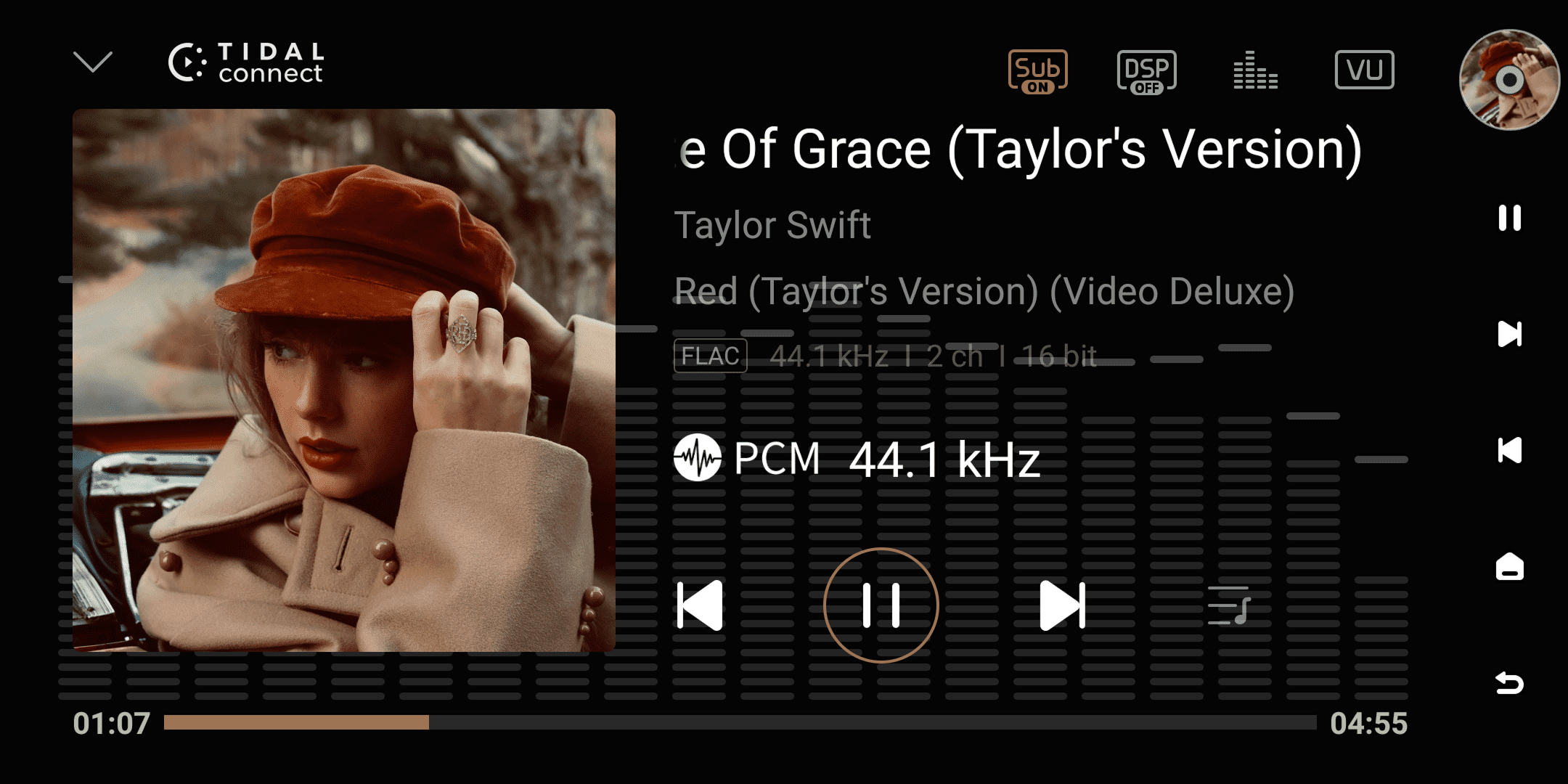
This is TIDAL's official streaming protocol. With this feature, you can seamlessly stream music played in the TIDAL App to your Eversolo device for high-quality decoding and playback.
Mobile:
- Play music in the TIDAL App and tap the playback information bar at the bottom to enter the playback details page.
- Tap the "Speaker" icon in the upper right corner → Select your "Eversolo device" from the device list.
PC:
Tap the "Speaker" icon in the lower right corner of the TIDAL App → Select your "Eversolo device".
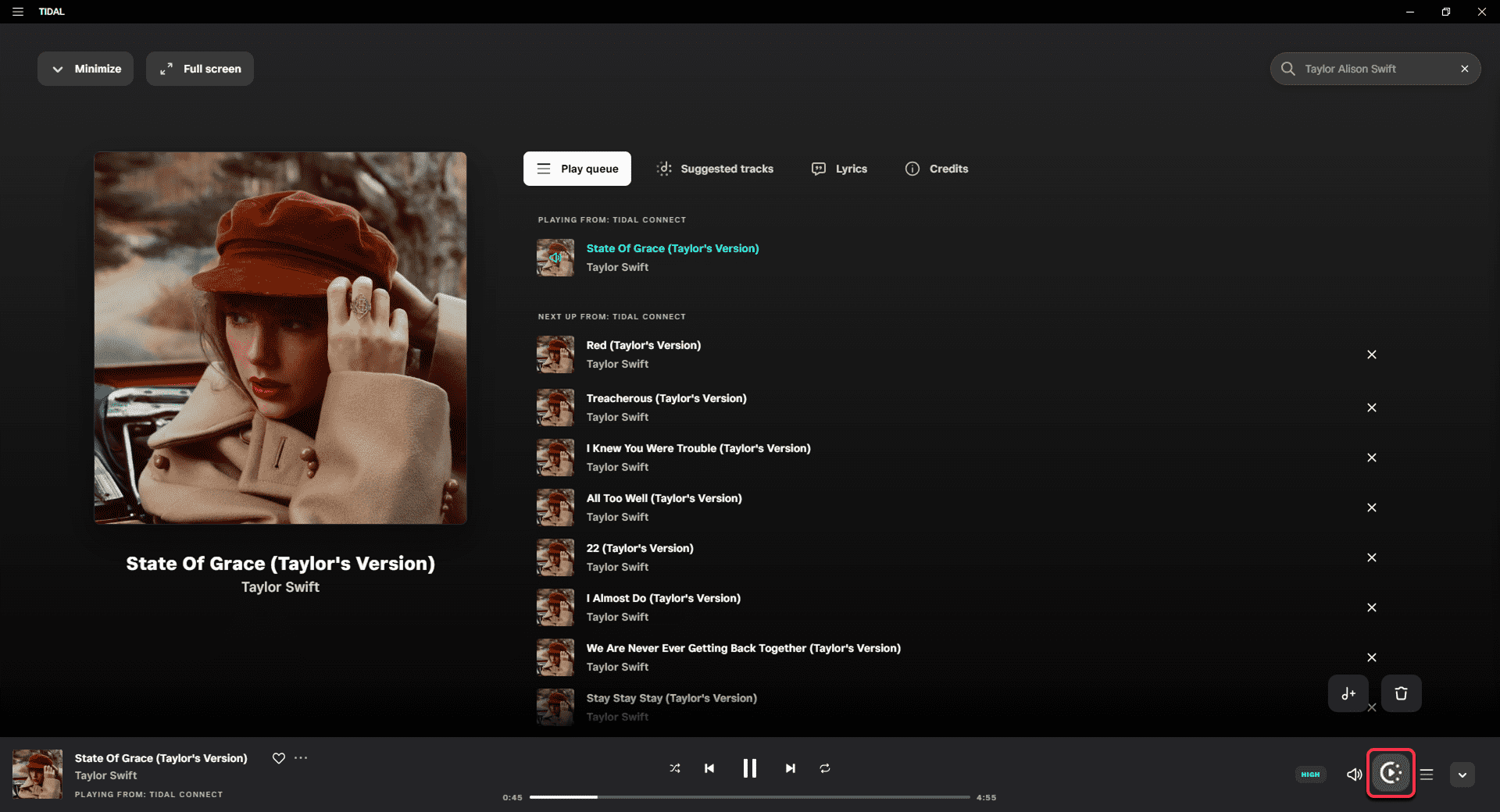
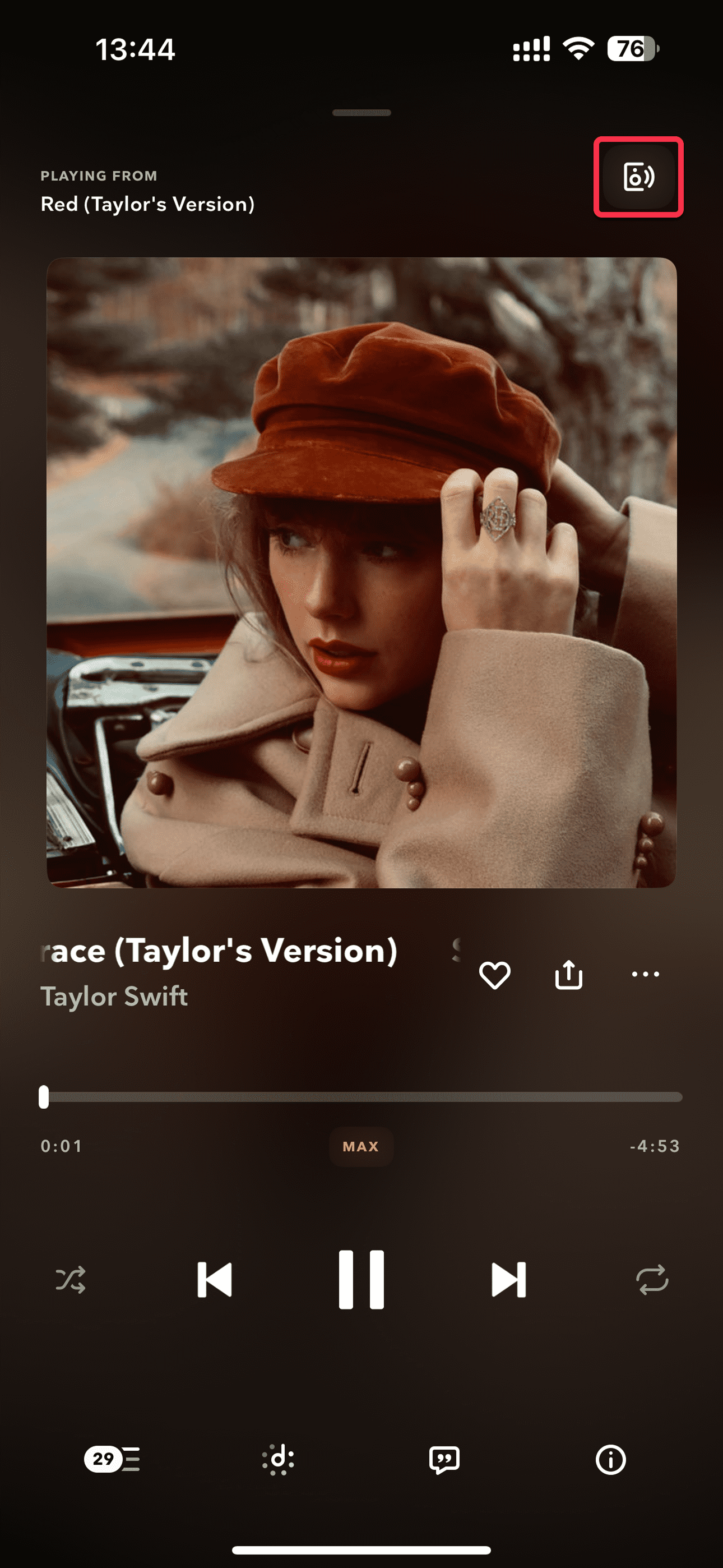
[Dual-end demonstration of the mobile and PC]
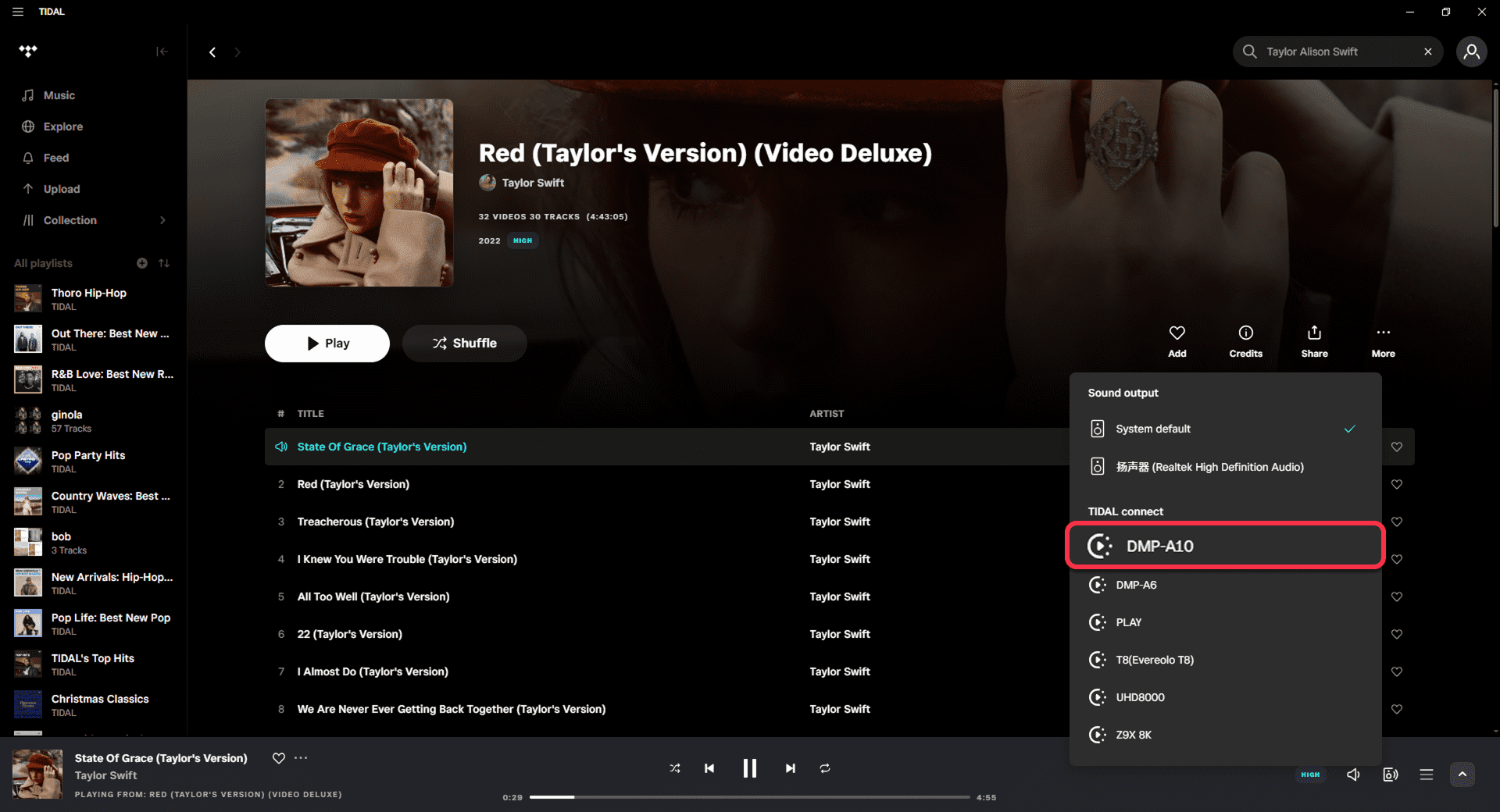
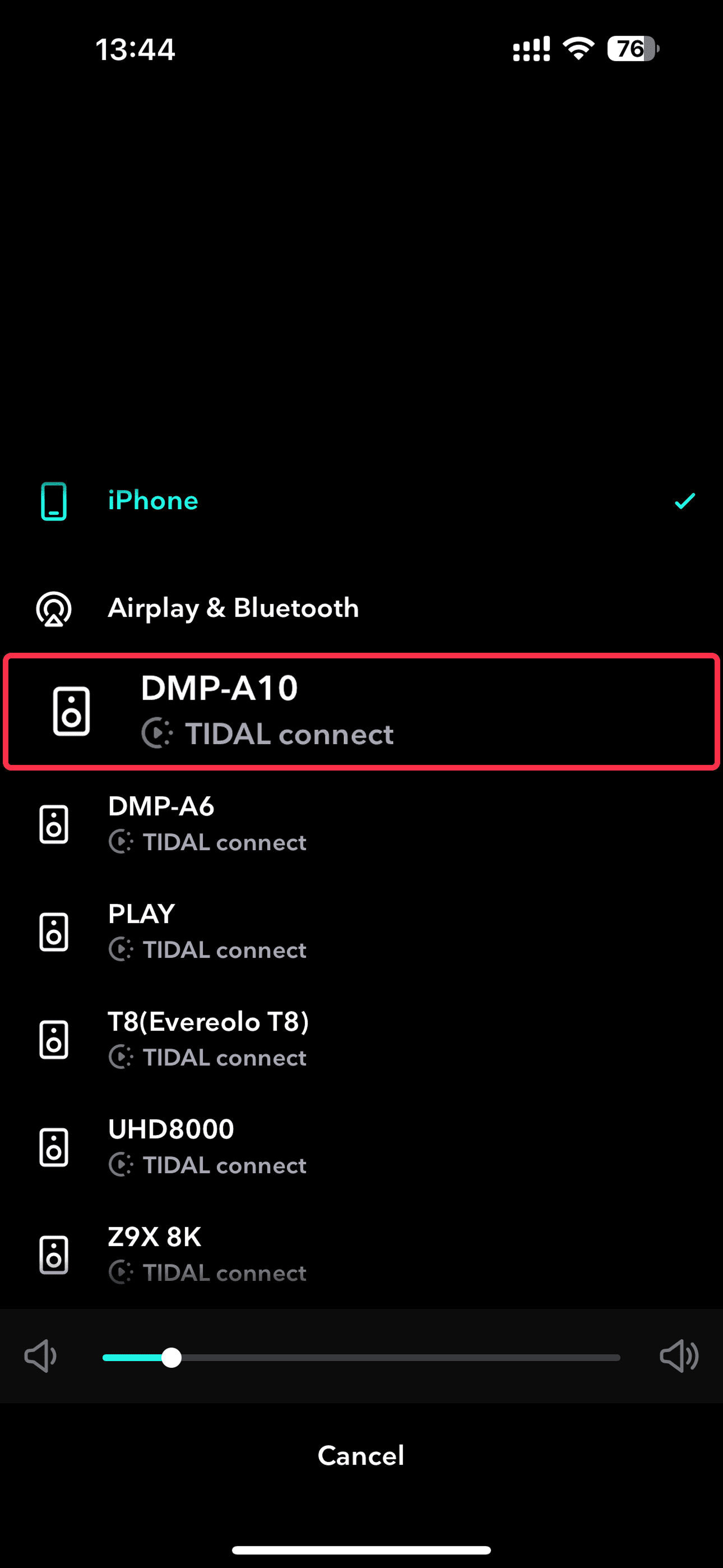
[Dual-end demonstration of the mobile and PC]
After successful connection:
- Audio will be automatically streamed to your Eversolo device for playback.
- The icon in the upper right corner of the playback details page will change from a "speaker" icon to a "playing" icon.
- You can view the song information streamed by TIDAL on your Eversolo device screen.
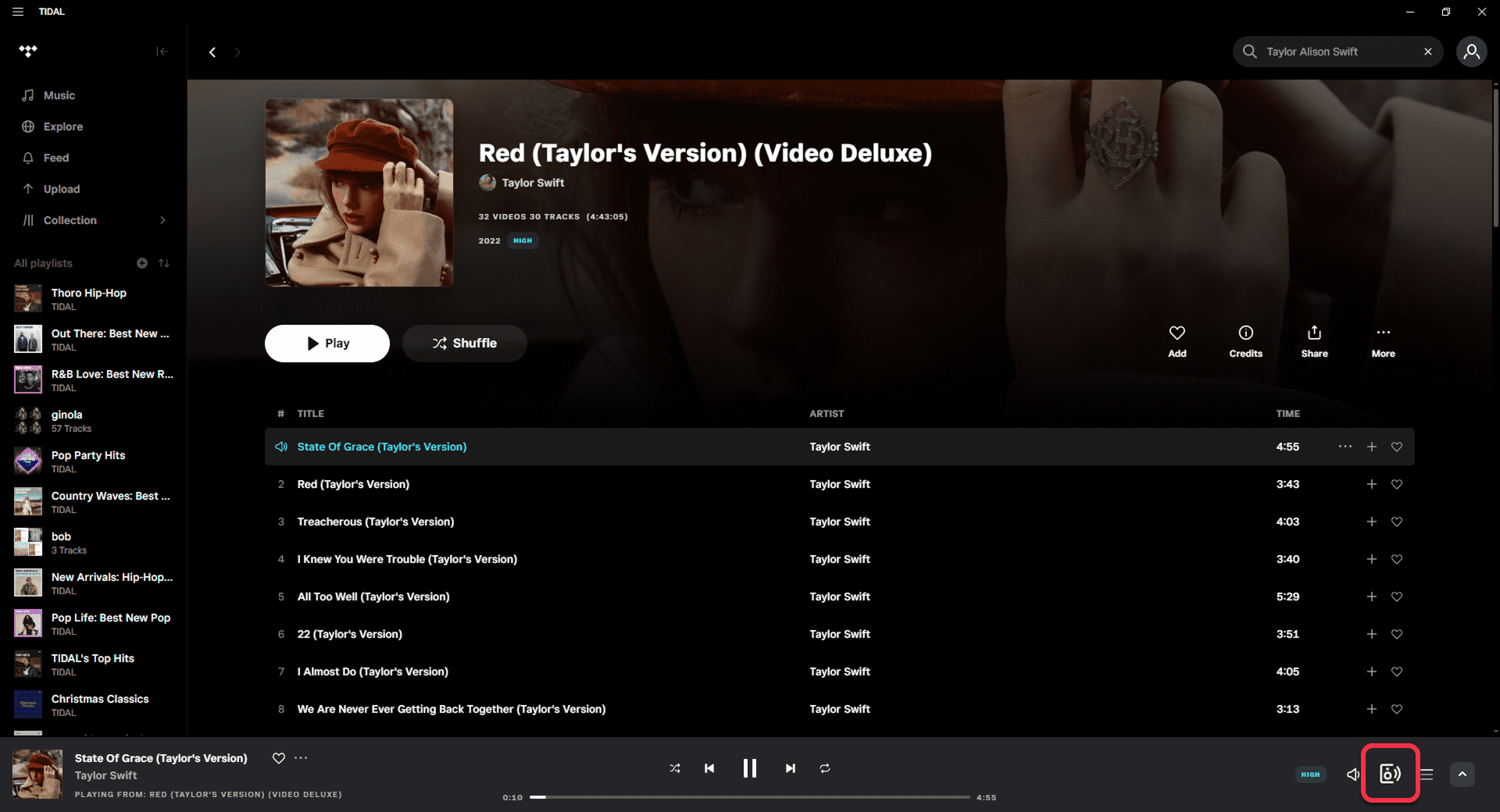
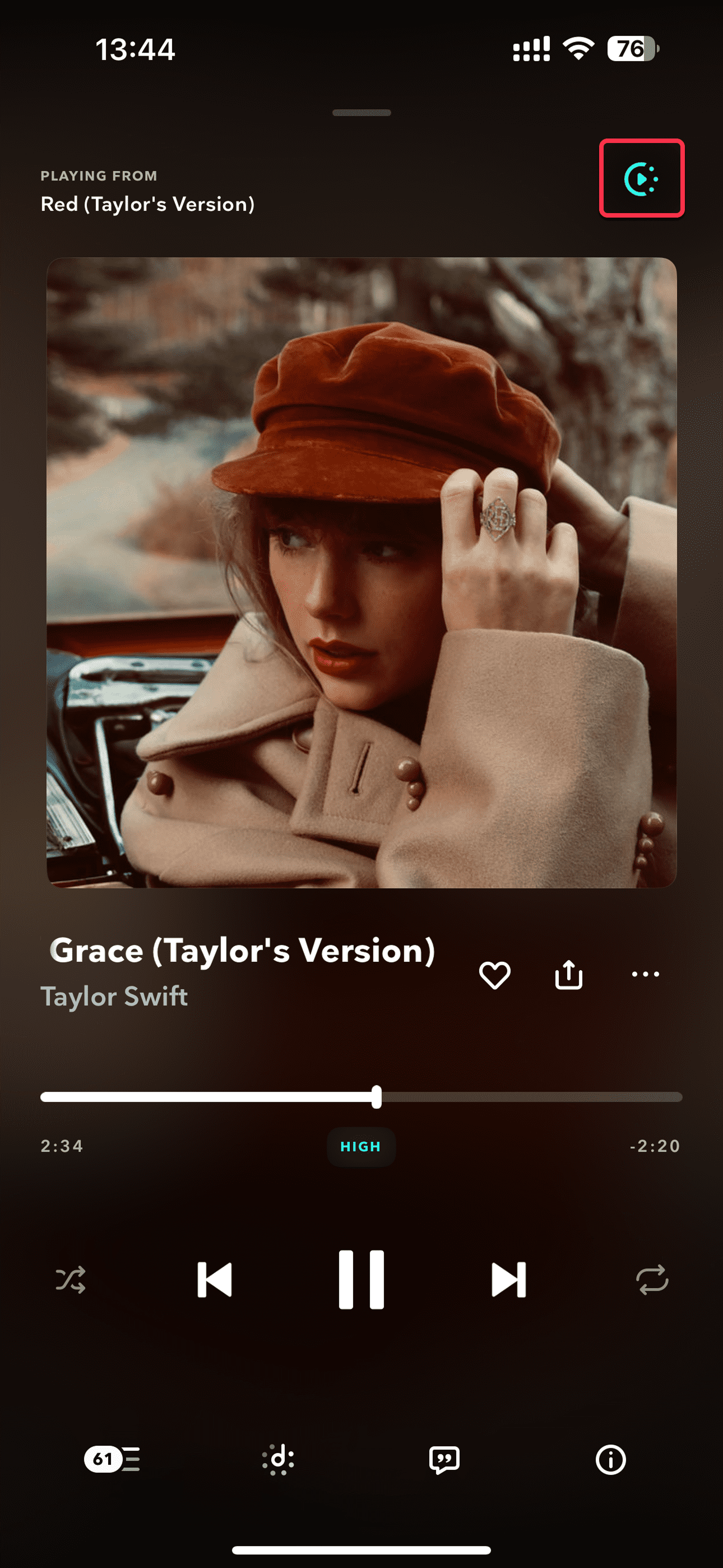
[Dual-end demonstration of the mobile and PC]