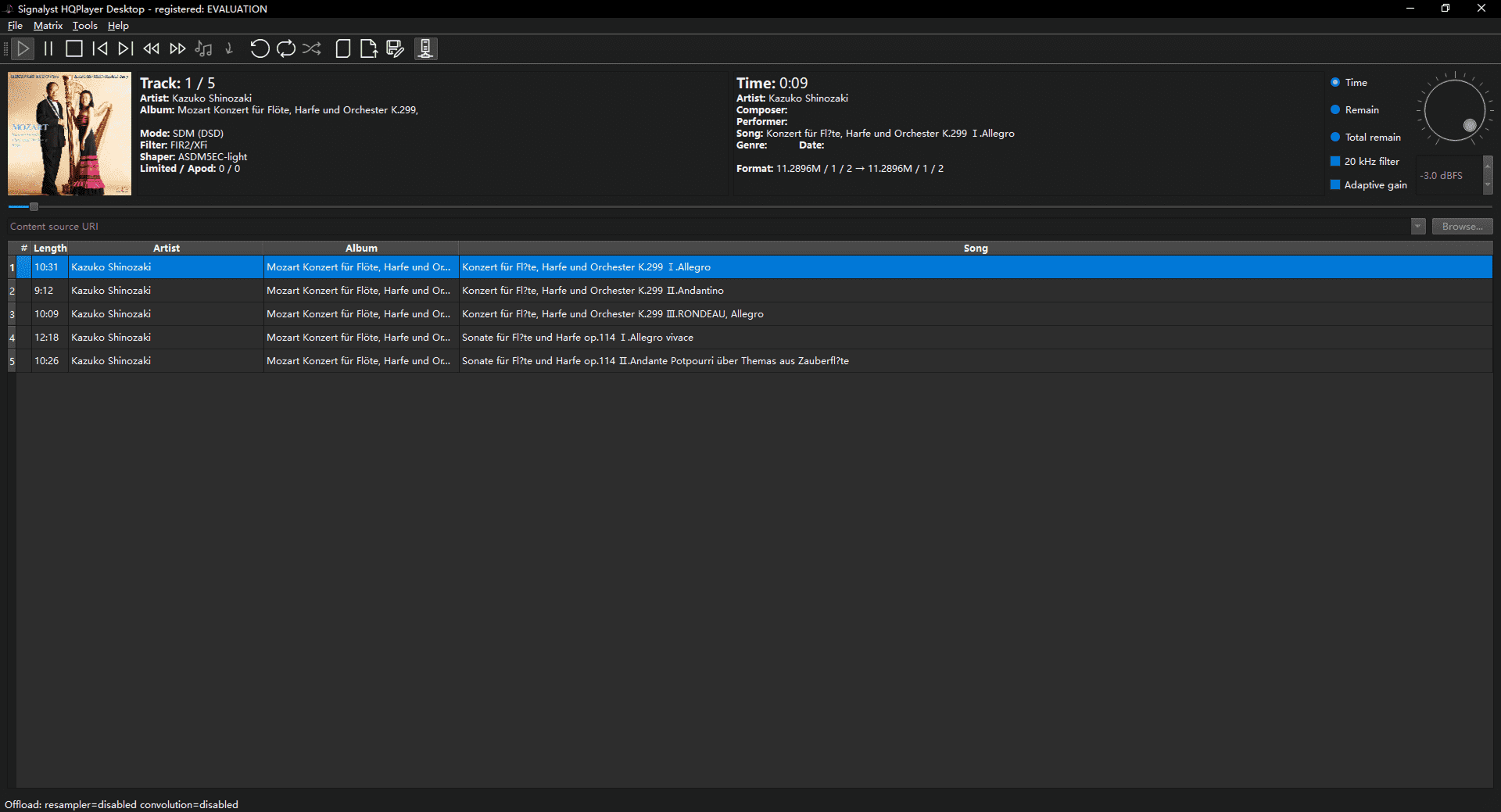
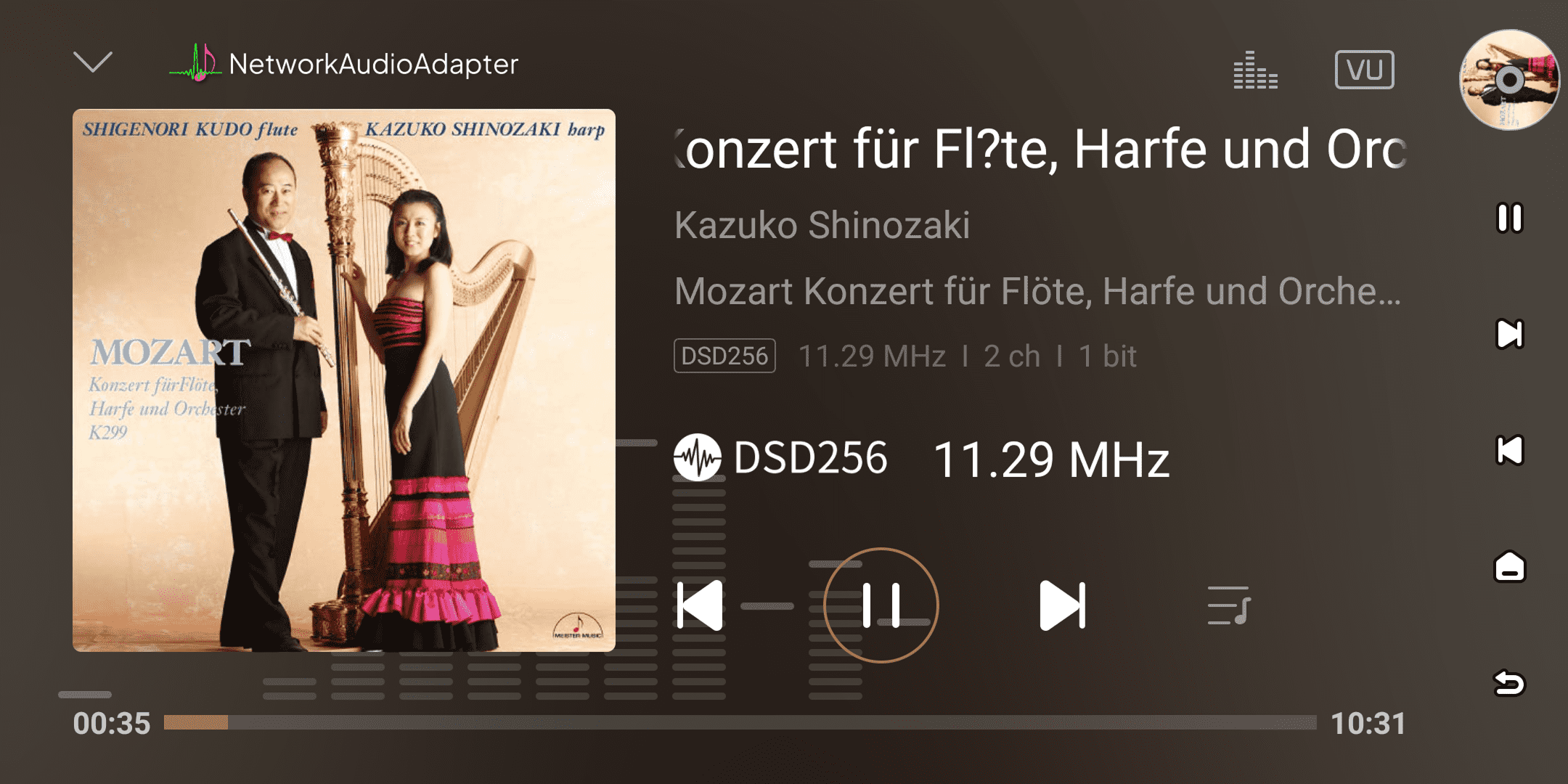
This is HQPlayer's professional streaming function. It intelligently separates the audio processing chain: the computer acts as the "processing center", focusing on handling the high-load upsampling and filtering; the processed high-resolution audio stream is then transmitted to your Eversolo device in real time and without loss over the network.
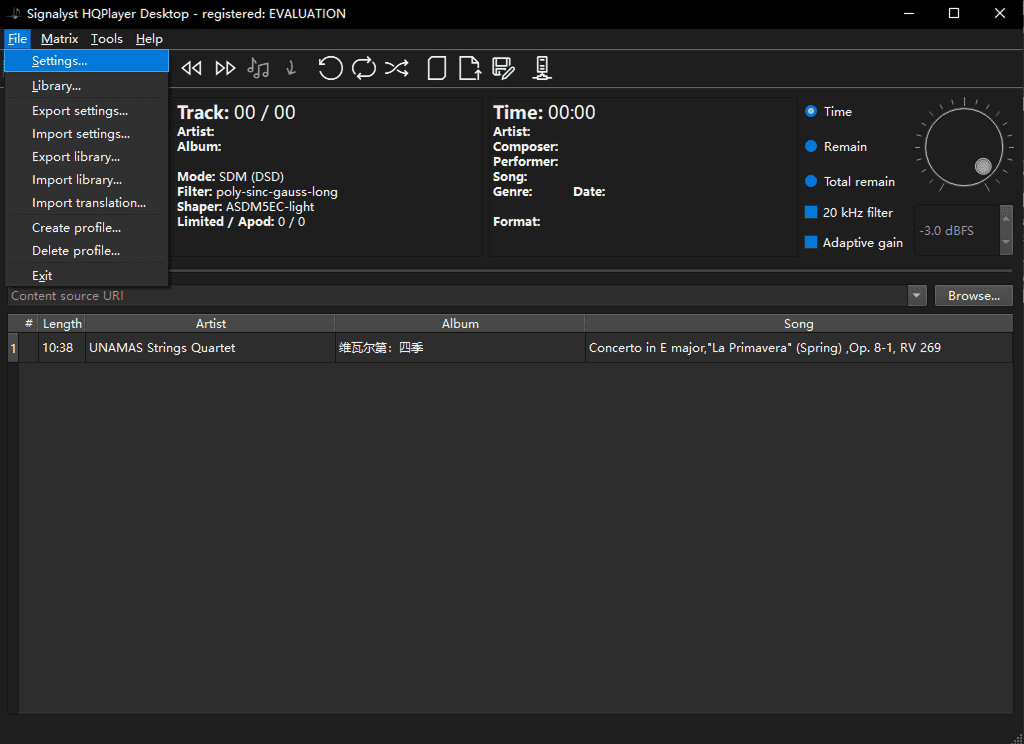
Windows:
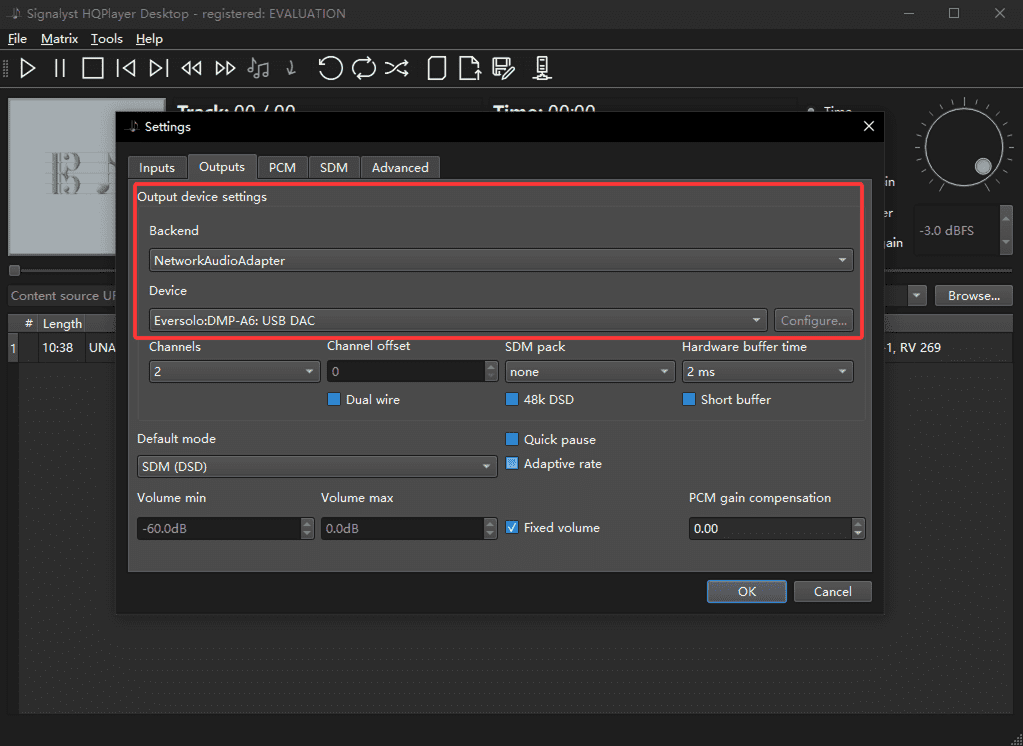
Open HQPlayer → "File" → "Settings" → "Outputs" → In Output device settings:
Backend: Select "NetworkAudioAdapter"
Device: Select the corresponding "Eversolo device".
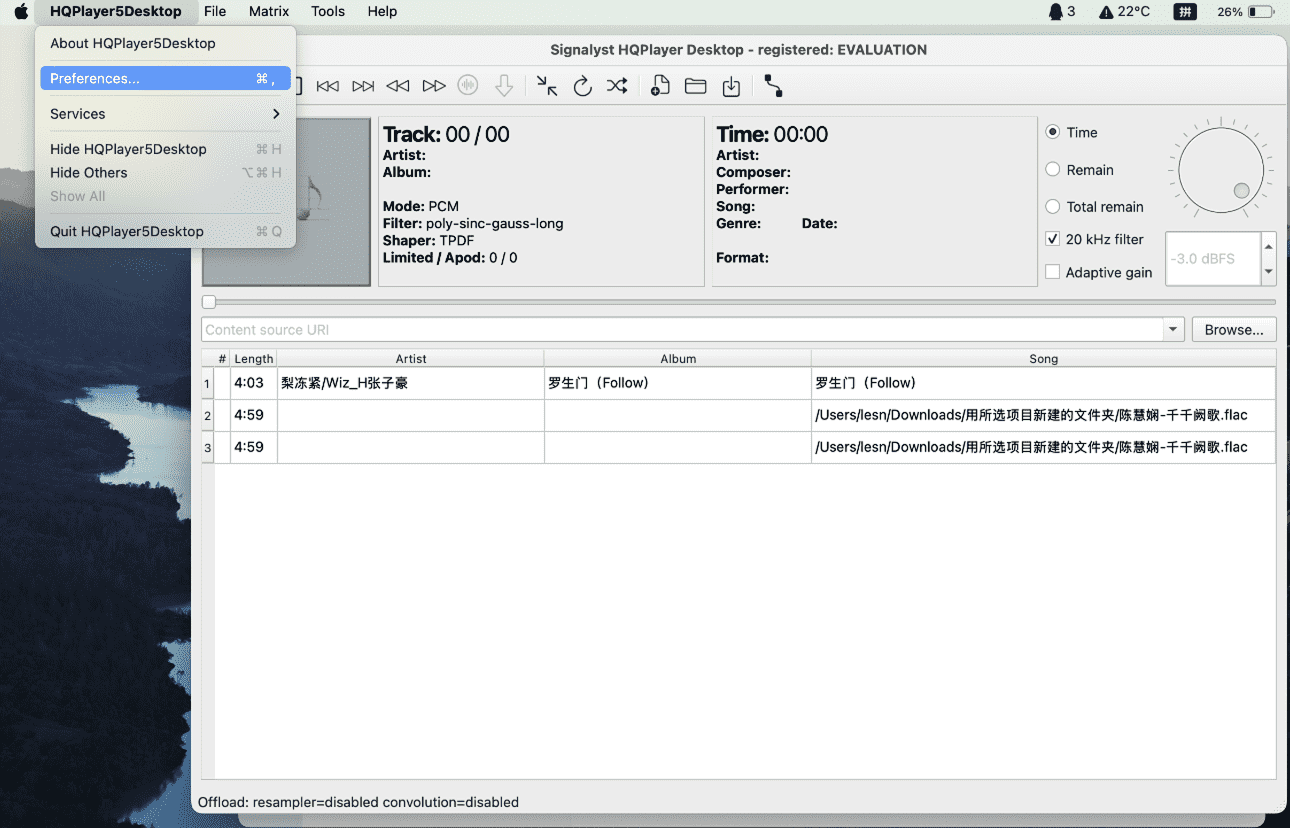
macOS:
Open HQPlayer → “HQPlayer5Desktop” → “Preferences” → “Outputs” → Output device settings:
- Backend:Select "NetworkAudioAdapter".
- Device:Select the corresponding "Eversolo device".
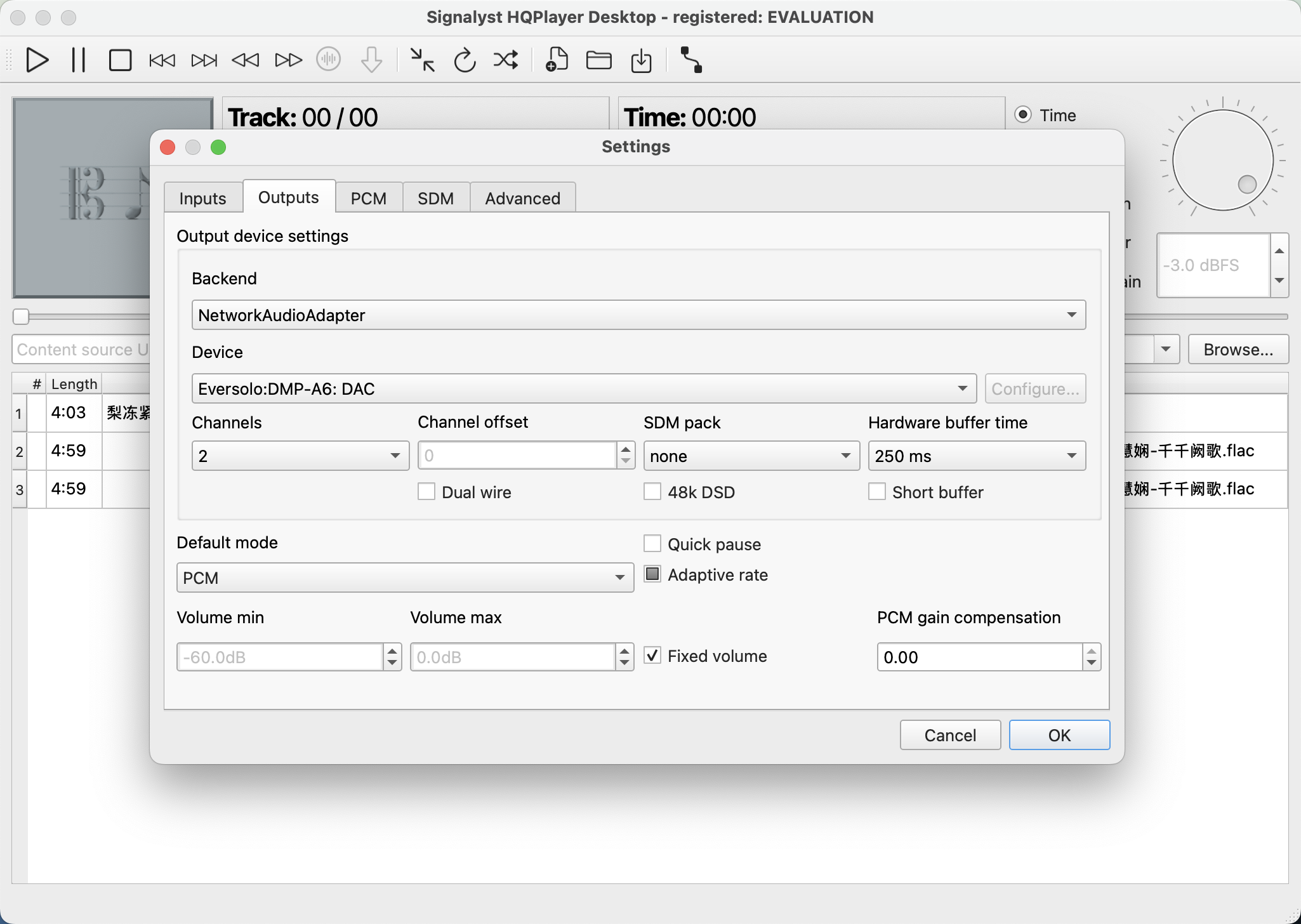
Once set up, the music played in HQPlayer will be stremaed to your Eversolo device via NAA, displaying playback information in real time and supporting reverse control.