AirPlay is a wireless audio streaming standard that works with all Apple devices (iPhone, iPad, Mac).
On your Apple device, open Apple Music or any AirPlay-enabled audio app.
Once playback begins, proceed as follows (depending on your device):
- iPhone/iPad:
- ○Tap the "AirPlay" icon at the bottom of the playback details screen.
- Swipe down from the top right corner of the screen to open "Control Center", long-press the audio card, and tap the "AirPlay" icon.
- Mac: Tap "Control Center" in the menu bar, then tap "Screen Mirroring" or the "AirPlay" icon in Audio Output.
- iPhone/iPad:
In the pop-up device list, select your "Eversolo device".
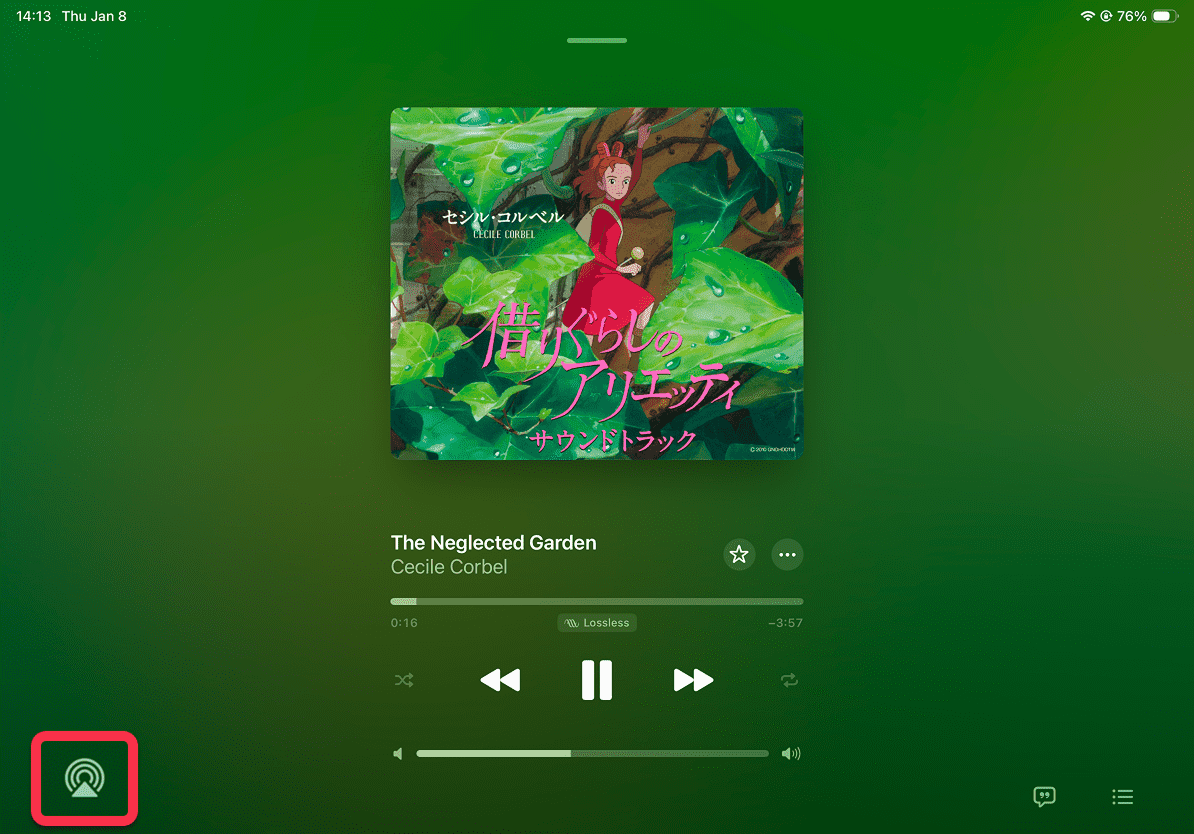

[Dual-end demonstration on iPhone & iPad]
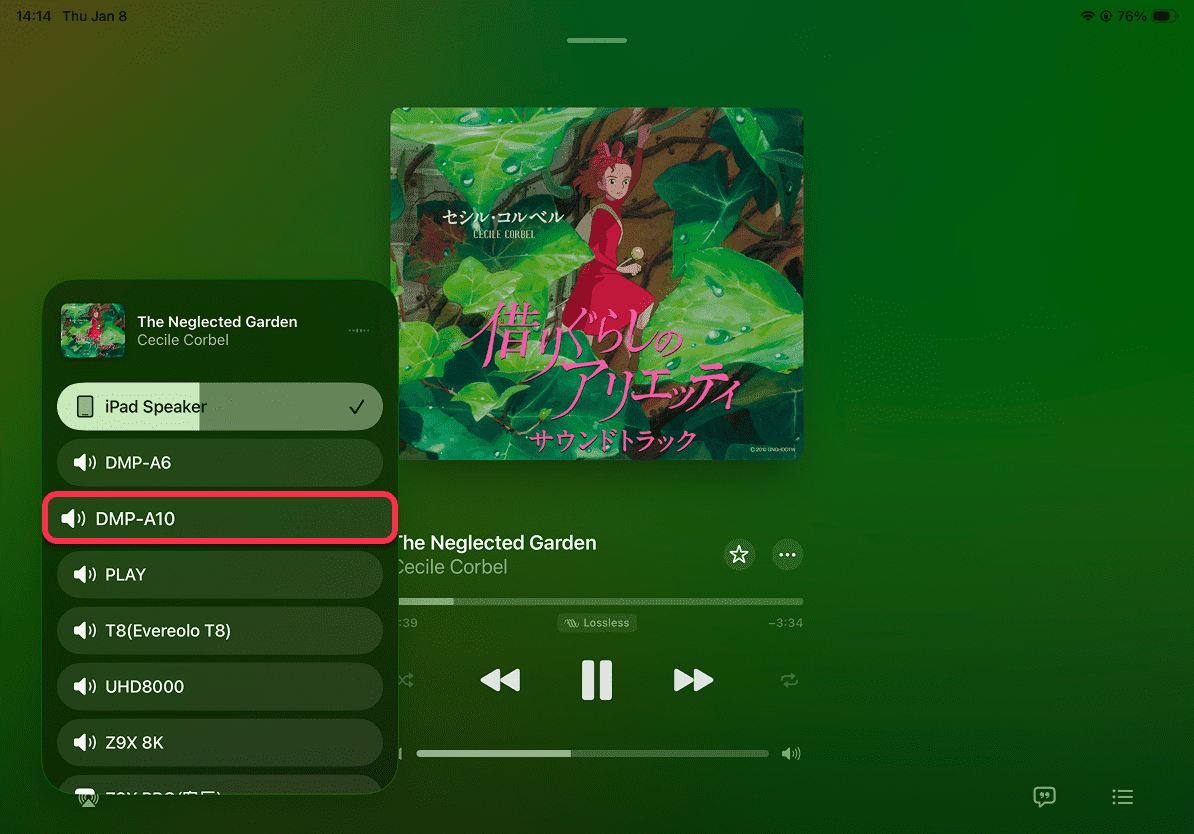
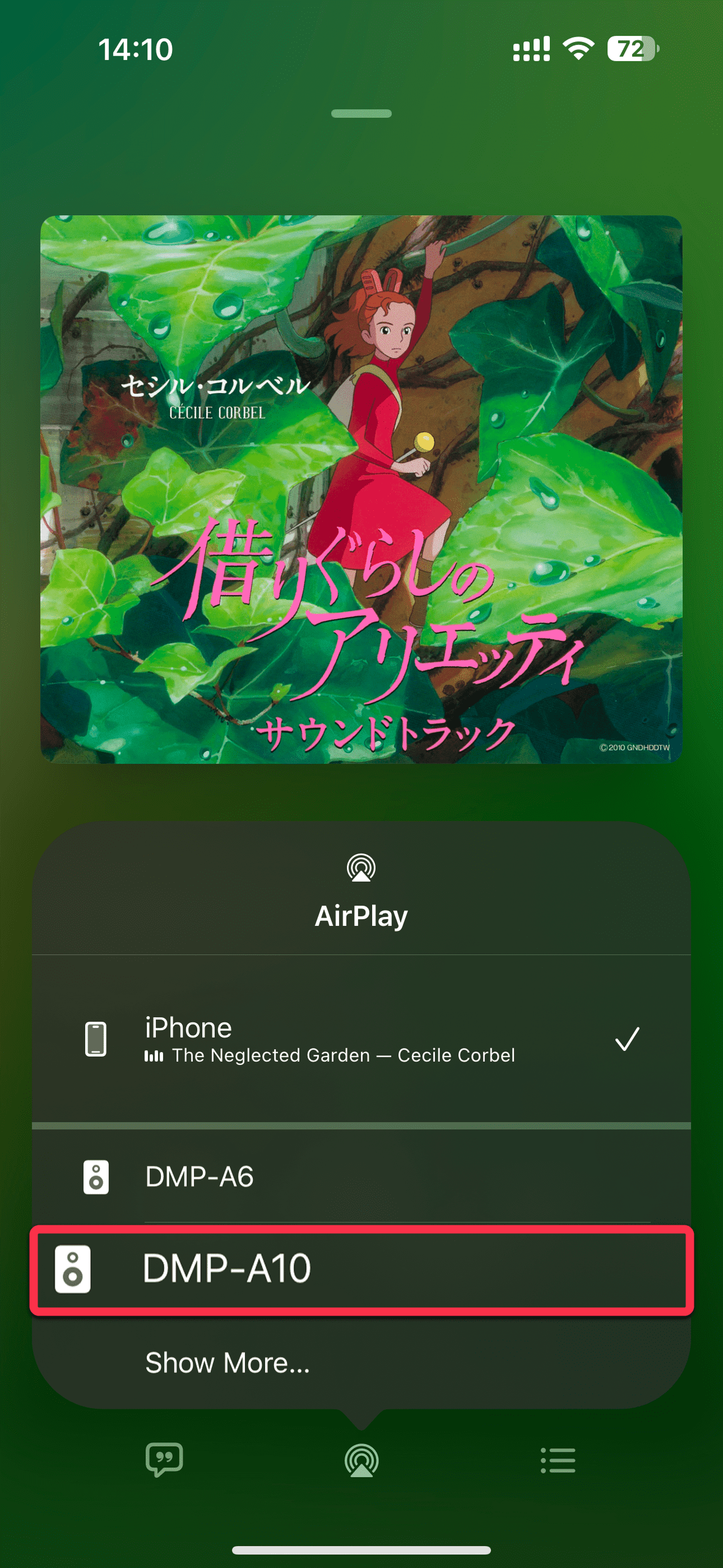
[Dual-end demonstration on iPhone & iPad]
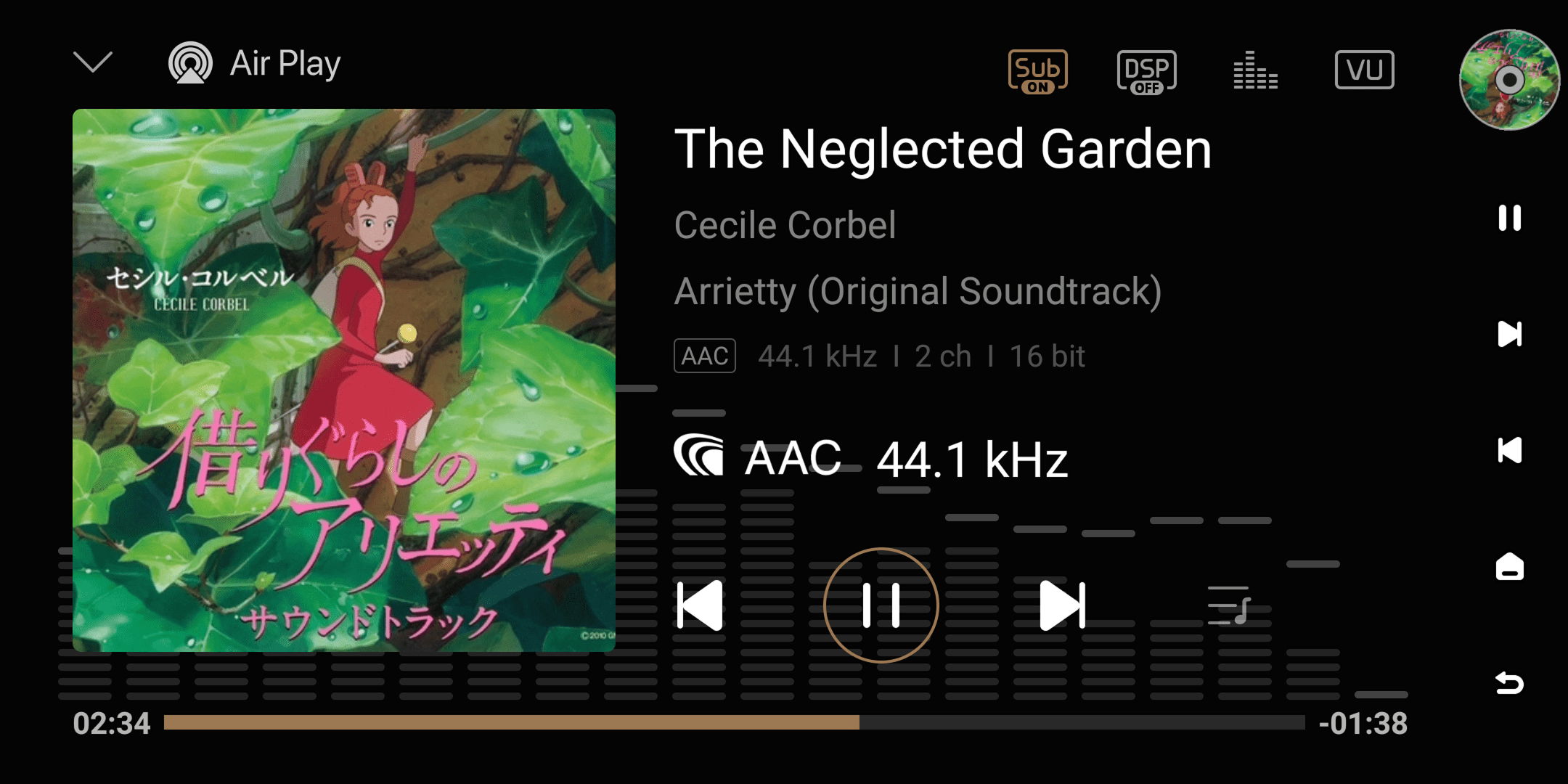
- After connection, audio will be automatically streamed, and your "Eversolo device" will be displayed at the bottom of the playback details. At the same time, the AirPlay streaming information will be displayed on the Eversolo screen.
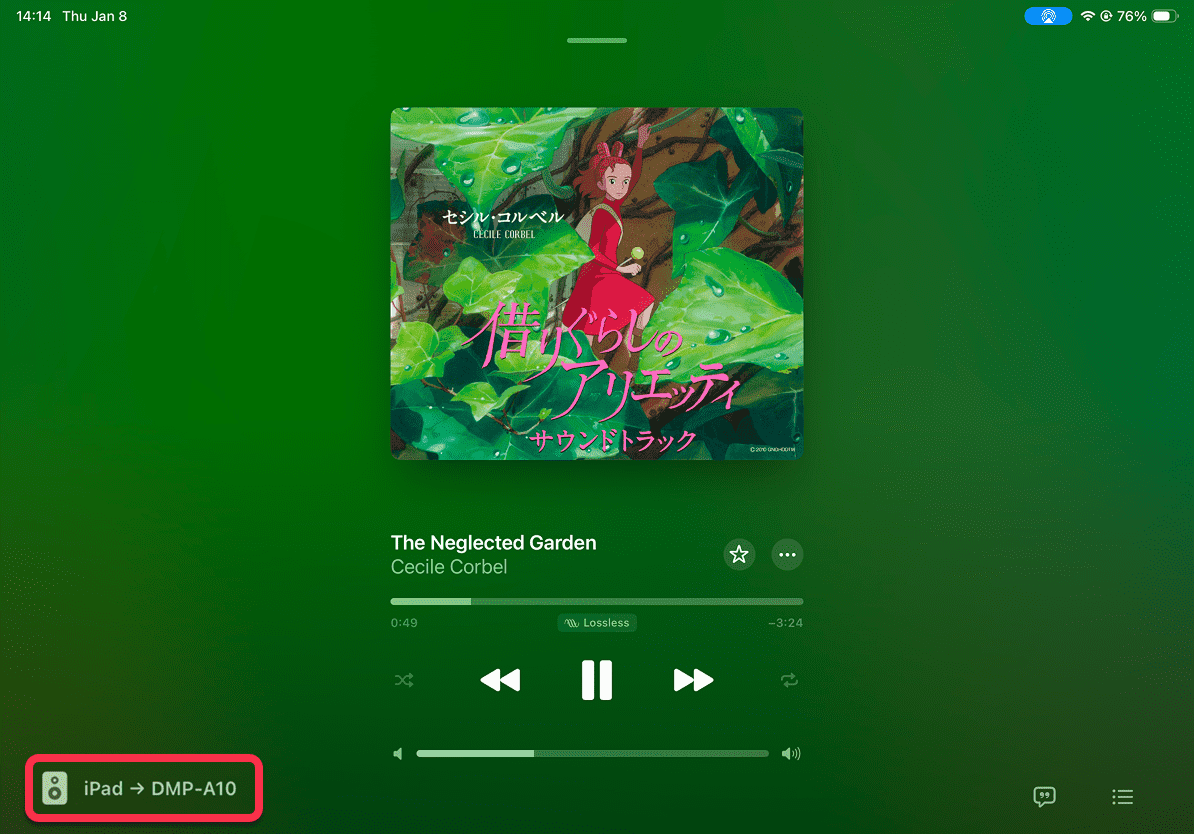

[Dual-end demonstration on iPhone & iPad]